Build side by side.
Terminals, readable replies and separate sessions. Add the AI tool and account you need.
 Nexvia Orbit
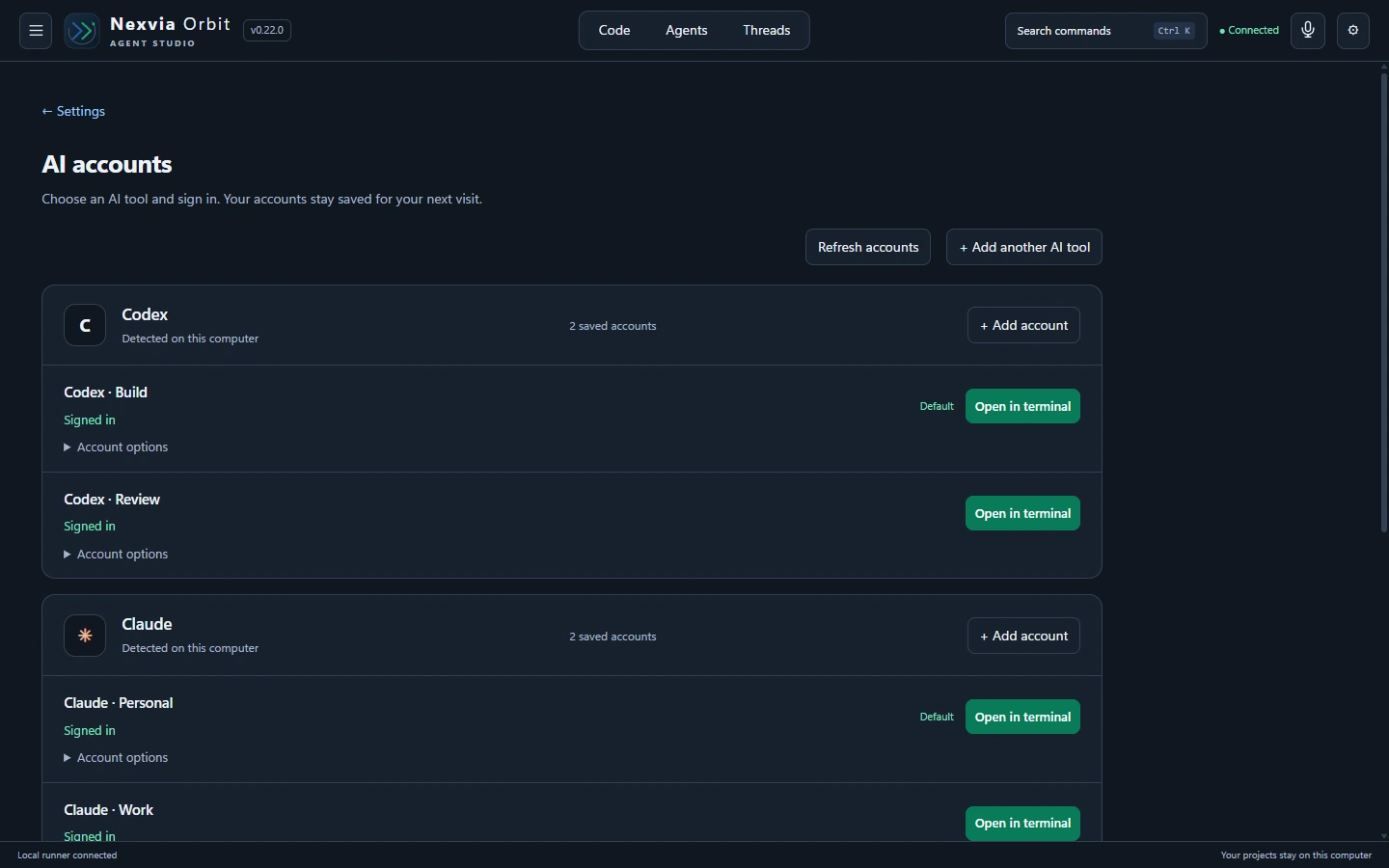
Add as many AI accounts as you want — subscription accounts, API accounts, or both.
Keep them together in one workspace. No Orbit account limit.
Windows app · Web workspace · Mobile browser
Available worldwide. Sign up with Google or email. Download the Windows app now or later.
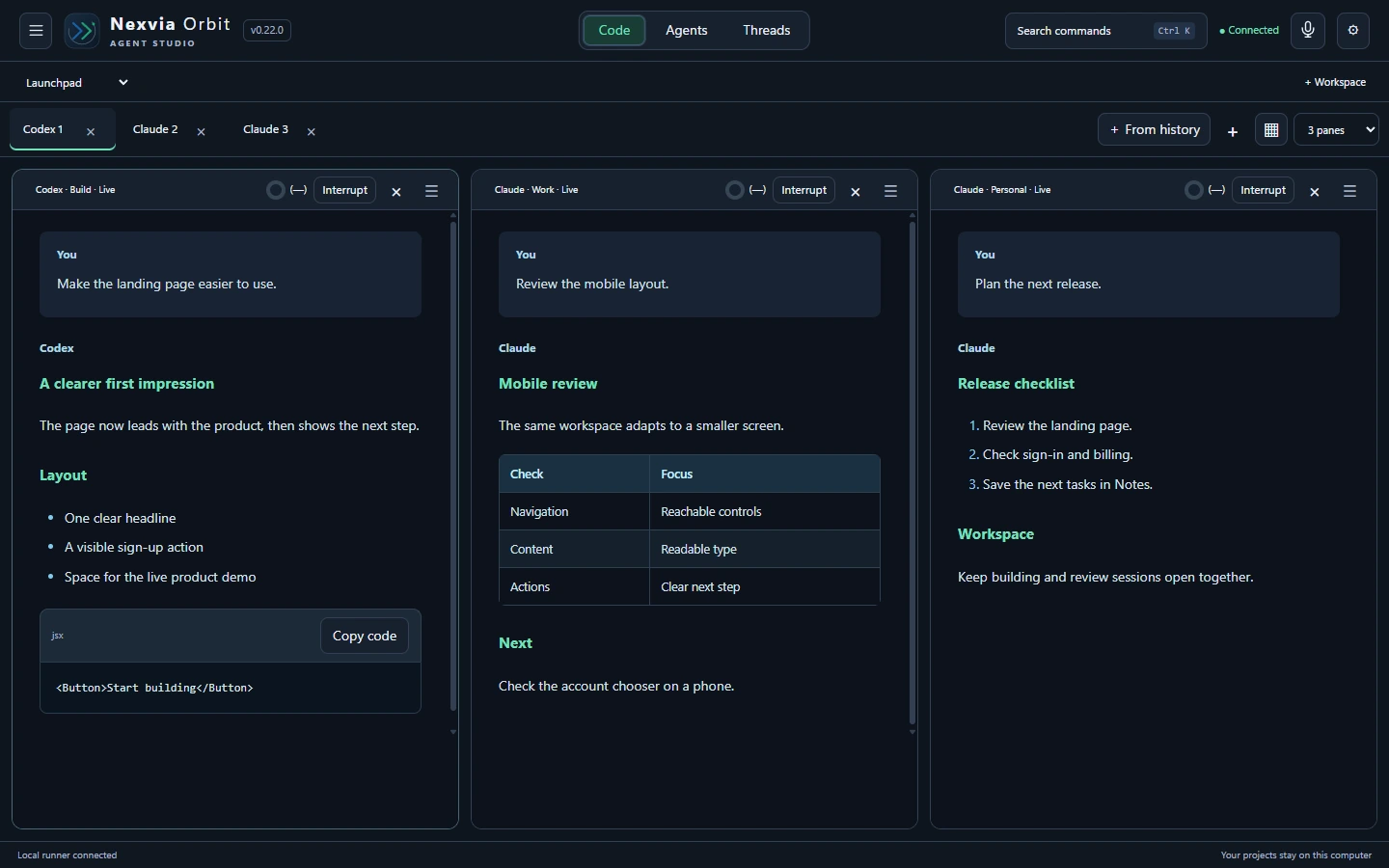
No limit on saved AI accounts. Open a session, pick your AI tool and choose the account you want. Add another pane and keep working.
Continue a saved chat with its original account, or choose an explicit account handoff. Your existing sessions keep their own account.
Use supported tools and sign-in methods. Each AI provider’s charges and usage limits still apply. The number of sessions you can run at once depends on your computer.
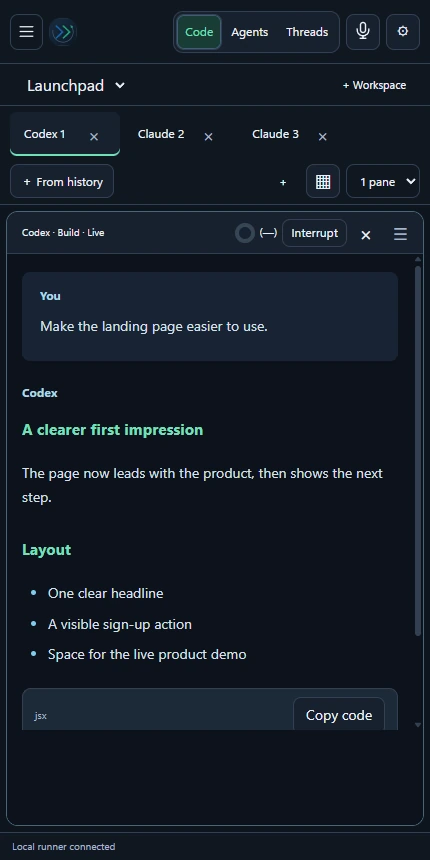
Desktop. Web. Mobile browser.
One connected workspace.
A short narrated product tour. Actual interface with sample content. Remote use requires an active plan and a computer that stays awake, online and running Orbit.
PHONE → YOUR PCOpen the same Orbit workspace in your web browser. Select your linked computer, choose the session and send your next prompt. Your agents work on the project files already on your computer.
Terminals, readable replies and separate sessions. Add the AI tool and account you need.
Save roles, skills and references for repeated work. Add compatible plugins in Settings.
Find previous chats and continue with the original account or an explicit handoff.
Write or dictate a task. Categorise it, save it for later, then copy it into the terminal you choose.
Use Google or your email and password. No download is needed to sign up.
Choose Download for Windows after sign-up, or skip it for now. Install Orbit on the computer that will run your agents.
Pay monthly or yearly. Sign in to the app with the same account. Then control your agents from a web or phone browser while that computer is running.
Manage your subscription in Account & billing. Your workspace unlocks after payment is confirmed.
The same features and prices for everyone. Add as many supported subscription or API-based AI accounts as you want. AI provider charges are separate.
₹3,000 / month
₹3,000 billed each month.
Cancel future renewals at any time.
₹2,500 / month equivalent
₹30,000 billed once per year.
Save ₹6,000 compared with 12 monthly payments.
Prices include applicable taxes. No first-time offers or returning-account rates. Adding an AI provider account does not require another Orbit subscription.
3-day money-back promise on your first purchase. Request a full refund within 72 hours of successful payment in Account & billing. Renewals are excluded. Read refund terms ↗
Sign up here with Google or email. Download the Windows app now or later. Payments are in INR; available payment methods depend on your country and bank.
Yes. Add as many supported AI accounts as you want — subscription accounts, API accounts, or both. Orbit has no limit on saved accounts. Save separate account profiles, such as personal and work Claude accounts or multiple Codex accounts. Choose the account when you open a session and keep their sessions open side by side. Each provider’s permissions, limits and account terms still apply.
Yes. Use supported providers together in one Orbit workspace. For example, build with Claude and review with Codex. You can also add compatible command-line agents. Sign-in and account isolation depend on the tool’s supported setup.
No. Add as many supported subscription or API-based AI accounts as you want to the same Orbit workspace. Your AI provider charges remain separate. One simple price applies to every Orbit account, whether you are new or returning.
Yes. Sign in to Orbit in a mobile or desktop browser and open your linked computer. You use the same workspace interface. Your prompts execute on that computer, which must stay awake, online and running Orbit. Closing the Orbit window keeps it in the system tray; Quit stops it. An active Orbit plan is required.
App Store and Google Play apps are coming soon. You can use the mobile browser workspace today with an active plan and an online linked computer. No native mobile release date is promised.
No. A compatible command-line tool is enough for terminal use. A desktop app is optional. Each provider decides whether its tool supports a subscription sign-in, an API key, or both. Orbit does not include AI provider subscriptions or credits.
You land in Account & billing. Workspace access stays locked until renewal is confirmed. You can manage your account, sign out or contact support. Your local project files and notes stay on your computer.
Create your account on this website with Google or your email and password. After sign-up, choose whether to download Orbit for Windows now or later. Choose a plan here or in the app. Sign in with the same account on your computer to run your agents.
Yes. Sign up on this website with Google or email. Download the app when you are ready and choose a monthly or yearly plan. Use the same account for the app and remote browser access. The current installer supports Windows on 64-bit Intel or AMD processors.
Windows now. Your browser, wherever you are.
Watch the guided demo, or choose a short lesson on accounts, terminals, plugins, routines, notes and remote access.
Your first purchase includes a full refund on request within 3 days (72 hours) of successful payment. Renewals are excluded. Read the refund terms.